
| Description : Standardized Work Analyze Tool is a tool for your improvement.This is an Application with Ms.Excel based program using MS-VBA (macro), easy to use and no installation. | |
Screenshot : 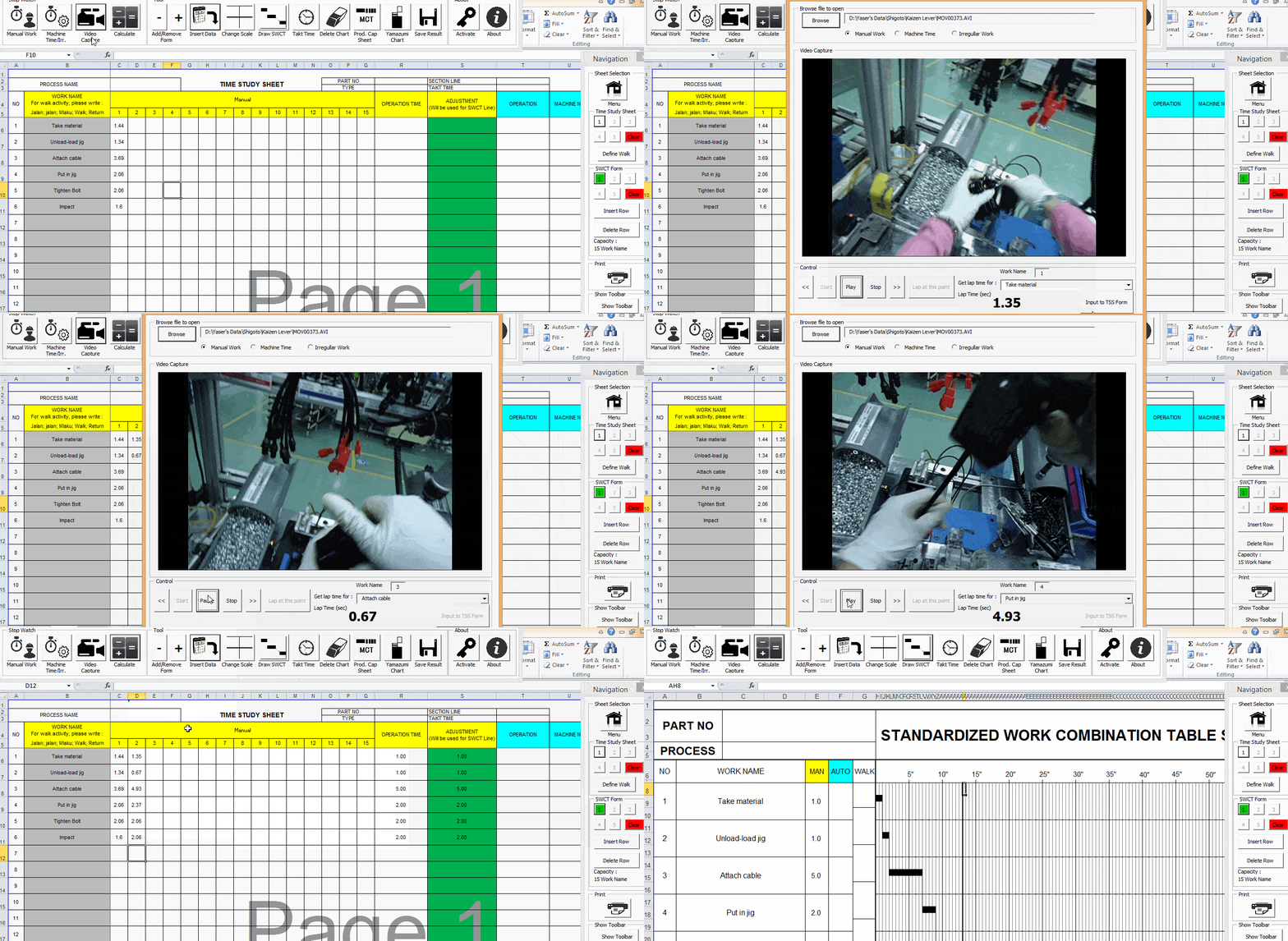
Features : | - Stopwatch function, observe time directly based on work name - With video capture feature, You can analyze time motion from video and get the time then input to form directly - Detect waiting and draw it - Draw Takt Time line - Save as the result as new book (non macro file) - Easy to use - Draw Yamazumi Chart - Calculate Production Capacity Sheet - You can change Header according Your Template License Only $120 USD |
| No | File Name | Version | Release Date | Download | Note |
| 1 | Standardized Work Analyze Tool+Video Capture v.2.6 | 2.6 | 17 July 2014 |
 | With video capture feature, you can get cycle time from your video |
| 2 | Standardized Work Analyze Tool+Video Capture v.2.7 | 2.7 | 21 August 2014 |
| Minor improve |
| 3 | Standardized Work Analyze Tool+Video Capture v.2.9 | 2.9 | 24 September 2014 |
| Video capture improve |
| 4 | Standardized Work Analyze Tool+Video Capture v.3.0 | 3.0 | 15 December 2014 |
| Improve undo feature, fix bugs |
| 5 | Standardized Work Analyze Tool+Video Capture v.3.1 | 3.1 | 12 January 2016 |
| Fast loading for licensed product, minor improve |
| 6 | Standardized Work Analyze Tool+Video Capture v.3.2 | 3.2 | 06 May 2016 |
| Change header template, add waiting time if Takt Time > Cycle Time 's option |
| 7 | Standardized Work Analyze Tool+Video Capture v.3.3 | 3.3 | 23 June 2016 |
| - Change Format to .xlsm for reducing size - Add option in video capture for controlling video speed |
| 8 | Standardized Work Analyze Tool+Video Capture v.4.0 | 4.0 | 11 December 2016 |
| - Change Format to .xlsm for reducing size - Multi Language Version English, French, Indonesia, Japanese - Could edit a saved result file (non macro file) |
| 8 | Standardized Work Analyze Tool+Video Capture v.5.0 | 5.0 | 17 October 2017 |
| - Add sheet for SWCT (8 sheets capacity) - Multi Language Version English, French, Indonesia, Japanese - Edit graph manual tool |
| 9 | Standardized Work Analyze Tool+Video Capture v.6.0 | 6.0 | 3 April 2022 |
|
- Integrated Command Ribbon - Standardized Work Chart - Add sheet for SWCT (8 sheets capacity) - Multi Language Version English, French, Indonesia, Japanese - Edit graph manual tool |
 Download manual book of Standardized Work Analyze Tool+Video Capture
Purchase License Now
Standardized Work Analyze Tool (SWAT)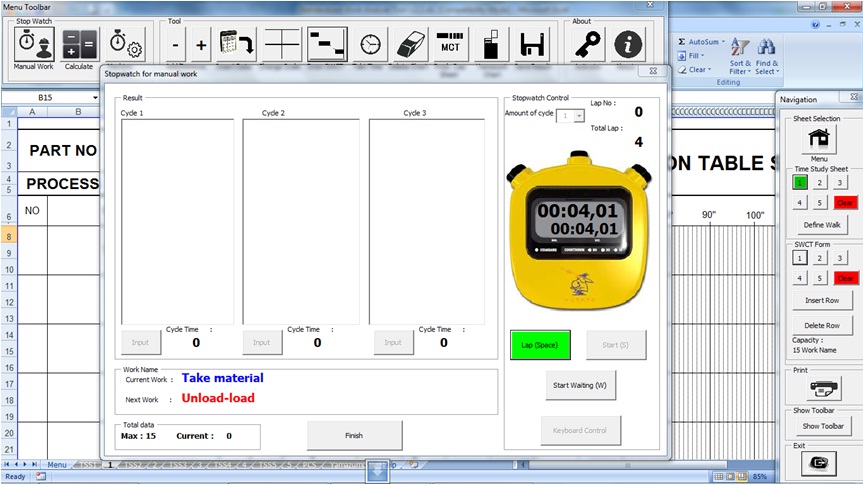
| Standardized Work Analyze Tool is a tool for your improvement.This is an Application with Ms.Excel based program using MS-VBA (macro). This program useful for create Standardized Work Combination Table & Yamazumi Chart and analyze it so You can decide Your Improvement faster. |
Heijunka Generator
| If You use Heijunka Post for Your production system in Your production line, it's time for You to use "Heijunka Generator" to generate heijunka point for each type in Your Heijunka Post.
With this tool, distribution for each type can more levelling. Easy to use and simple |